
Skip to content

One family calendar. A place for everyone.

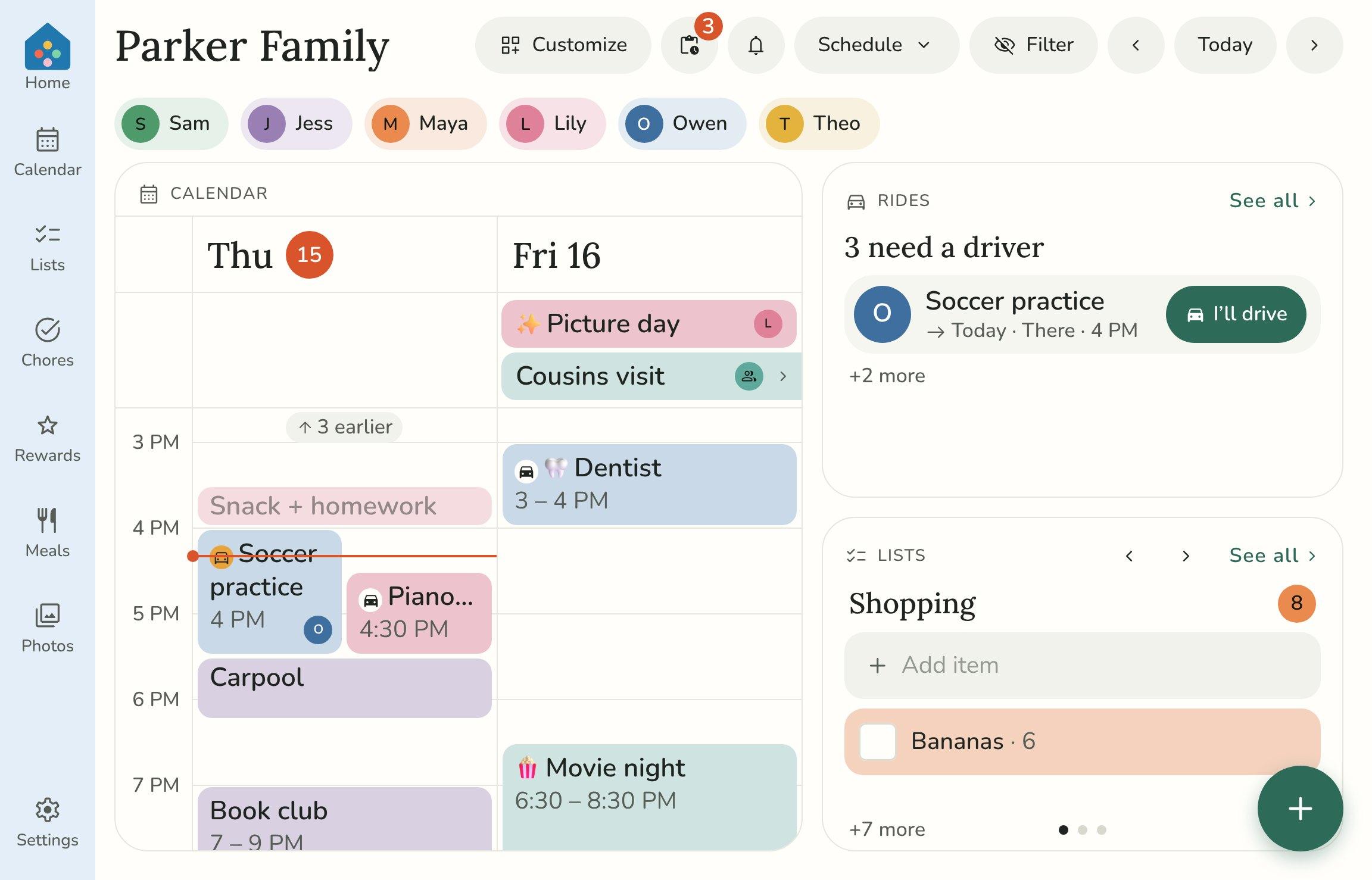
Everyone in the family sees the plan in the way that fits them.

A laptop on a kitchen table showing the family calendar, with a notebook and a plant beside it

GOOGLE CALENDAR

Keep Google Calendar. Add everyone else.

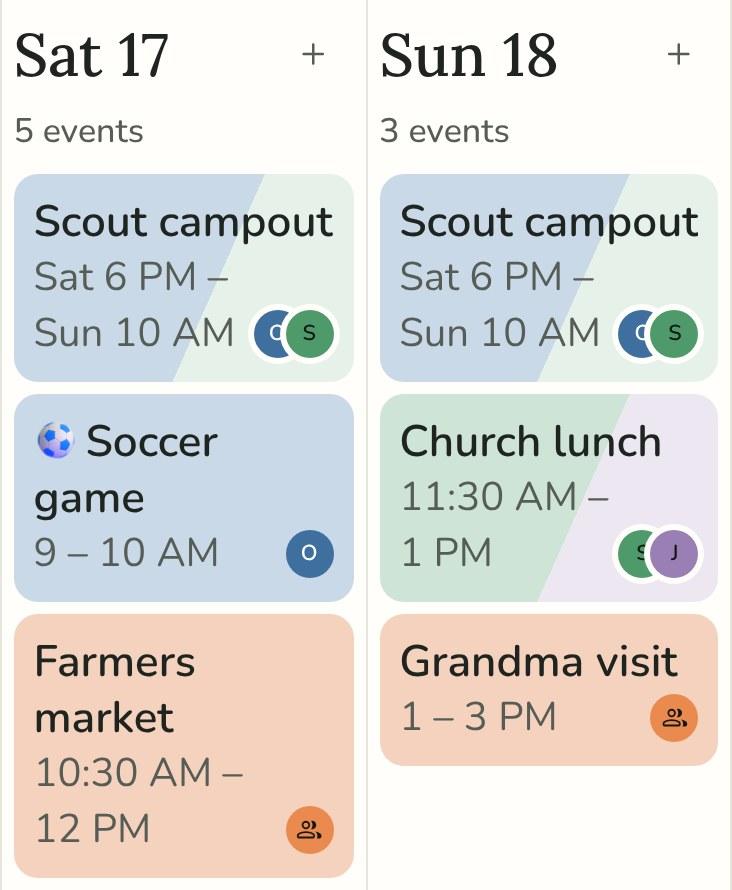
Banjo writes every change to Google and reads Google’s changes within seconds. Each person gets their own color, and an event for two people shows both. Add it in Google or in Banjo and it is on both.
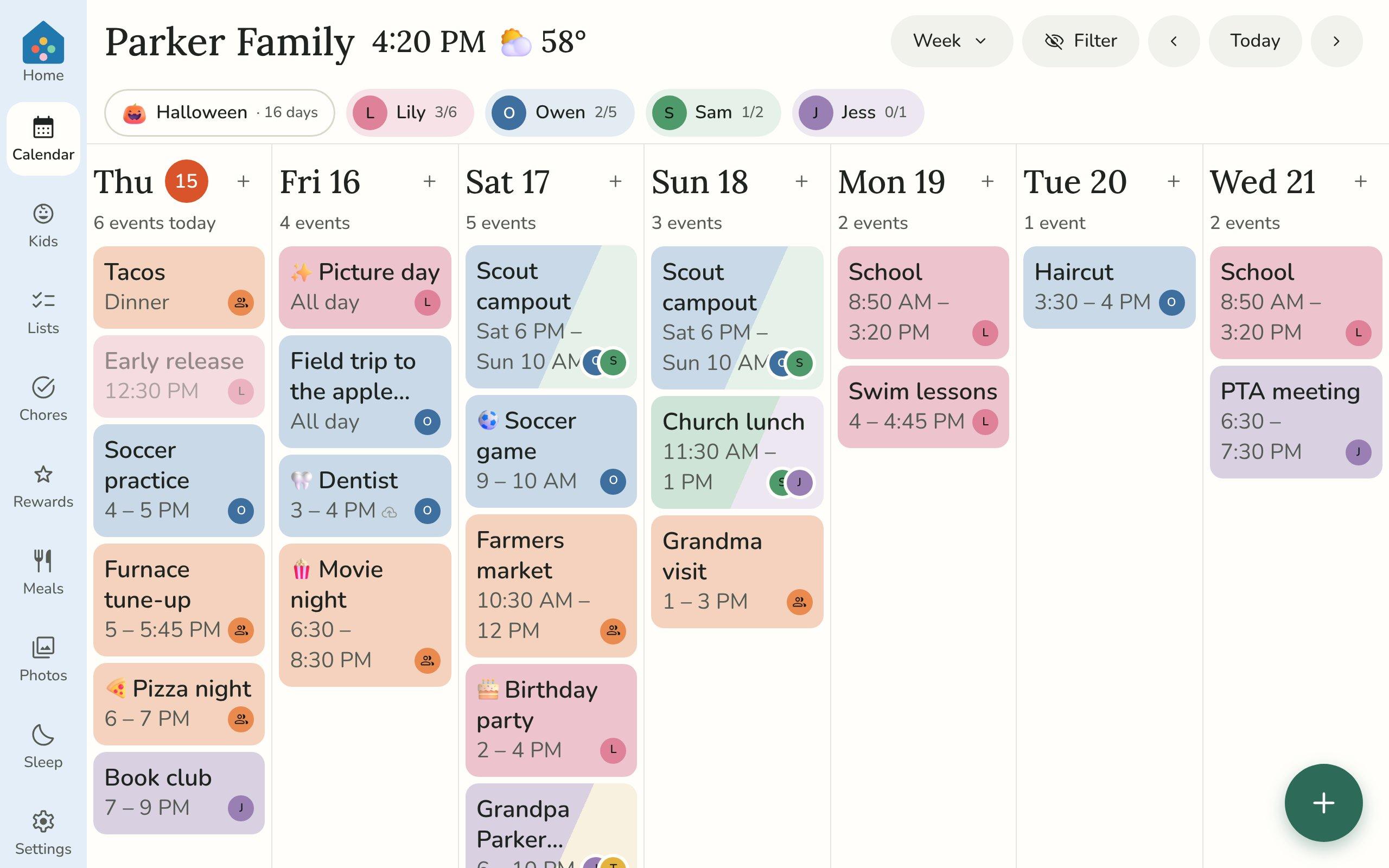
Banjo’s family week on the wall, with the left menu: seven days with each person’s events in their own color
Banjo’s family week on the wall: two days with each person’s events in their own color

SHOPPING LIST

Anyone can add to the list. Everyone sees it.

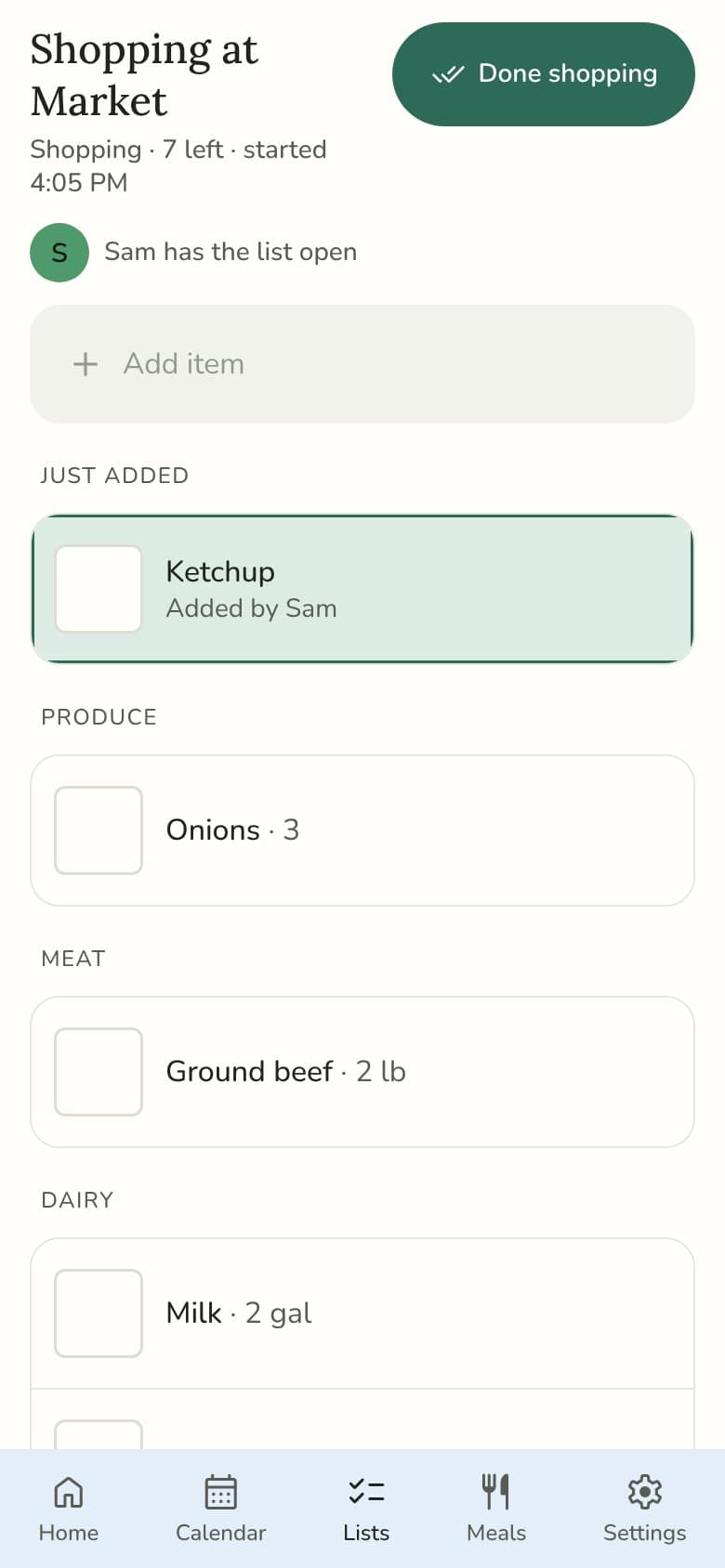
Type “2 milk” and it is added with a count. At the store, items added at home appear on the shopper’s list right away, with who added them. A checked item leaves the list with Undo. Banjo sorts items into aisles, and Done shopping clears the cart for next time.

Shopping at Market on a phone: Ketchup under Just added, marked Added by Sam, then onions under Produce, ground beef under Meat and milk under Dairy

FOUR VIEWS

See the week the way you read it.

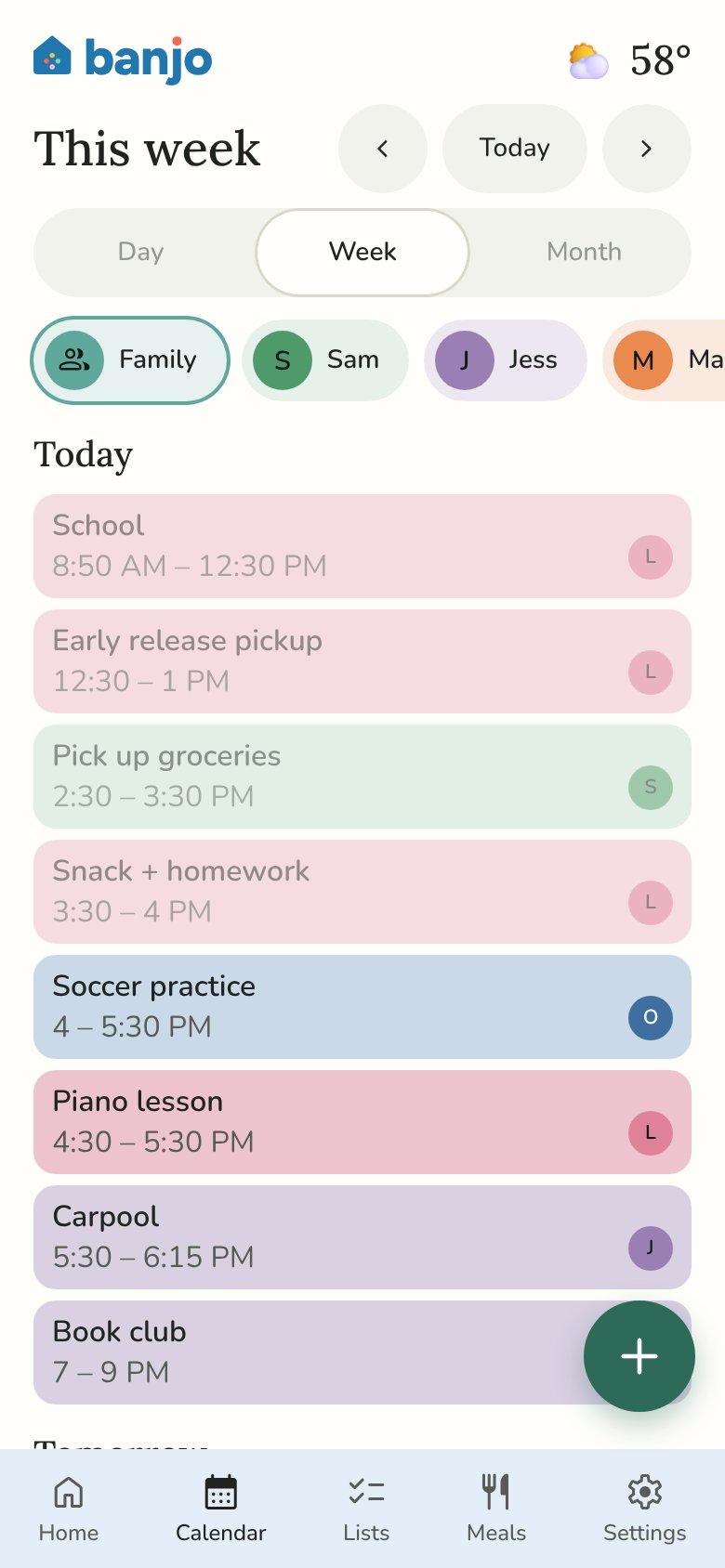
Schedule shows the next five days with a line for now. Day gives each person a column. Week and Month fit the bigger picture. Phones open on Week, and person chips show one family member at a time.

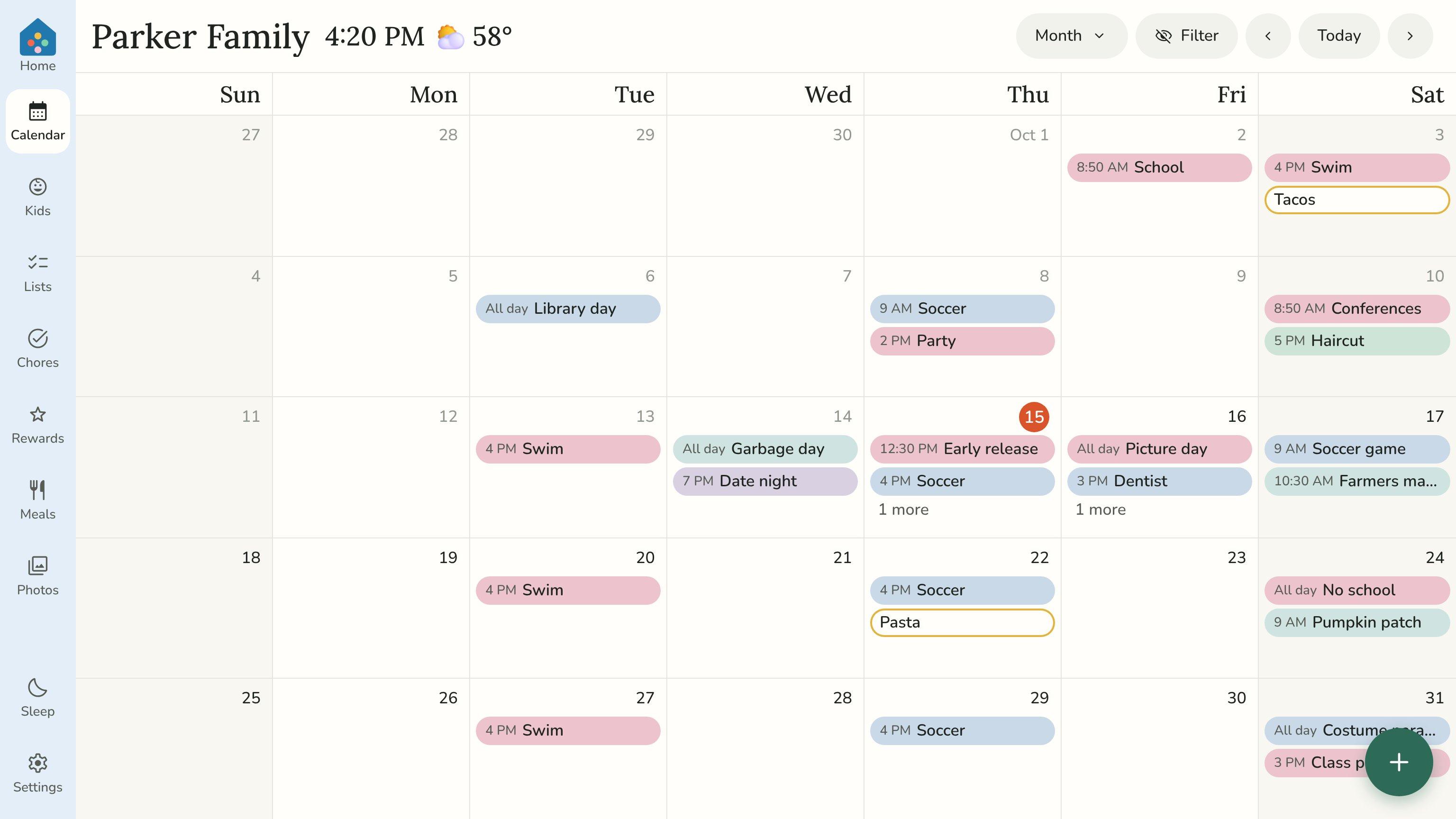
Banjo’s family month on the wall, with the left menu: each day’s events in their owners’ colors
Banjo’s week on a phone, with a chip for each person: today’s events in their owners’ colors

TO-DOS

A to-do belongs to someone.

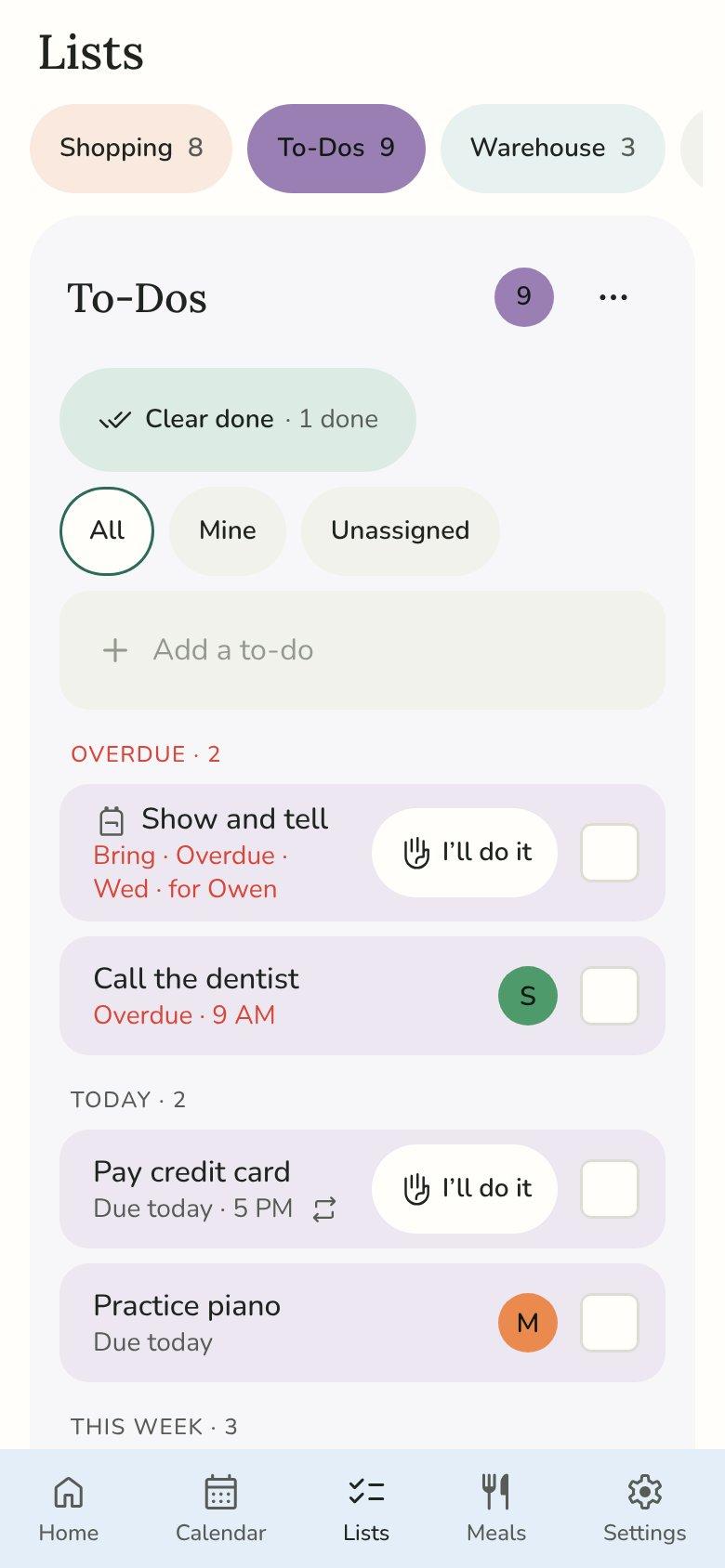
Add “Pay the electric bill Fri” and Banjo reads the date. It starts for nobody. Anyone can tap I’ll do it, and the person who gave it hears when it is done. Overdue, Today and This week keep the order.

A to-do list with items to mark done, mine and unassigned

More family. Less family logistics.

Get Started Free

It takes a village. Give it a home.