Skip to content

Put a name on every ride.

Say who drives there and home, and other families answer from a link with no app.

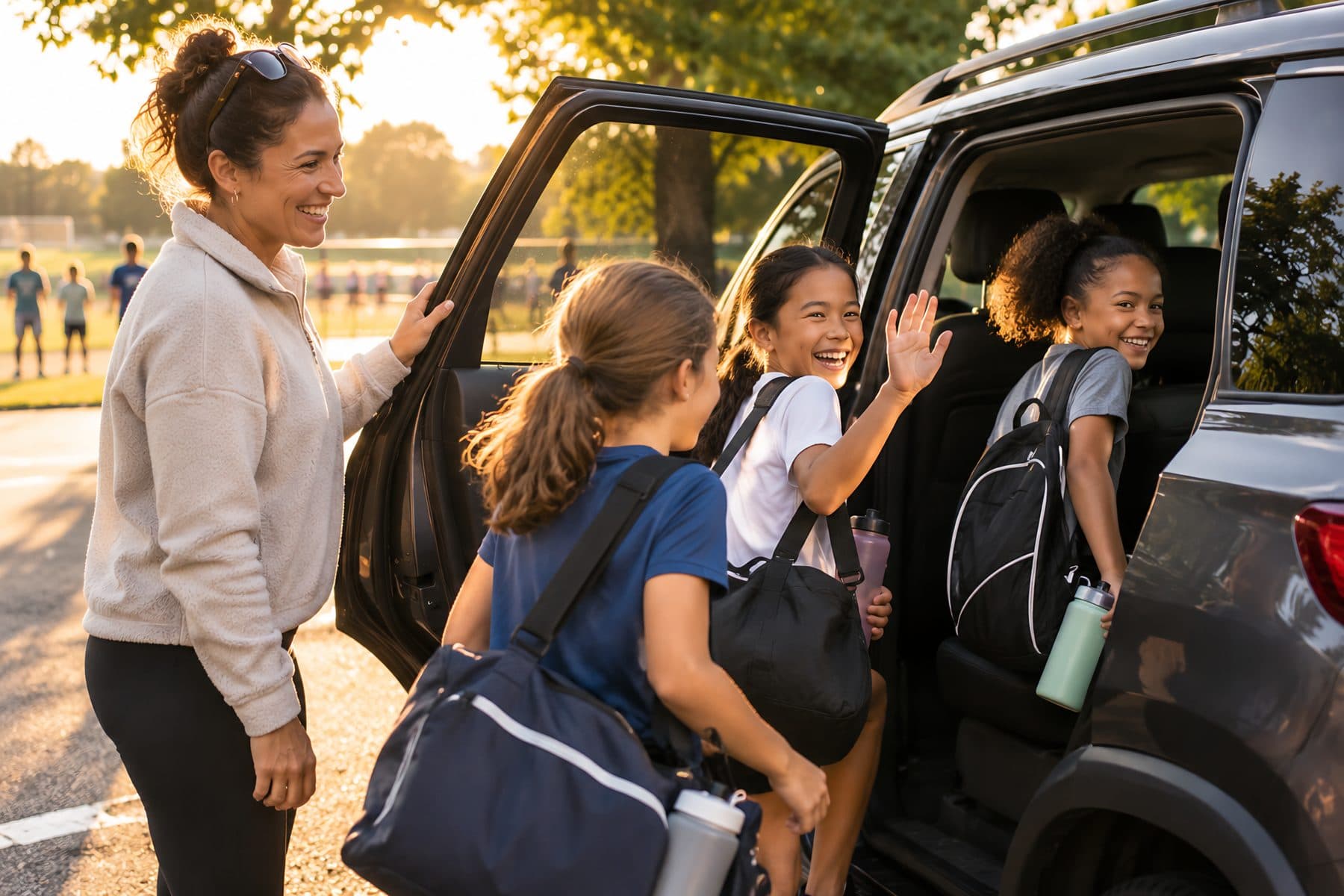
A mom at the open car door while three kids climb in after practice, one waving

WHO’S DRIVING

Every ride has a driver, there and home.

Each kid’s event has a There and a Home slot. Choose a parent, a teen who drives, someone who helps out, or another family, like Jake’s mom. A ride with no driver shows Ride needed on the wall and phones.
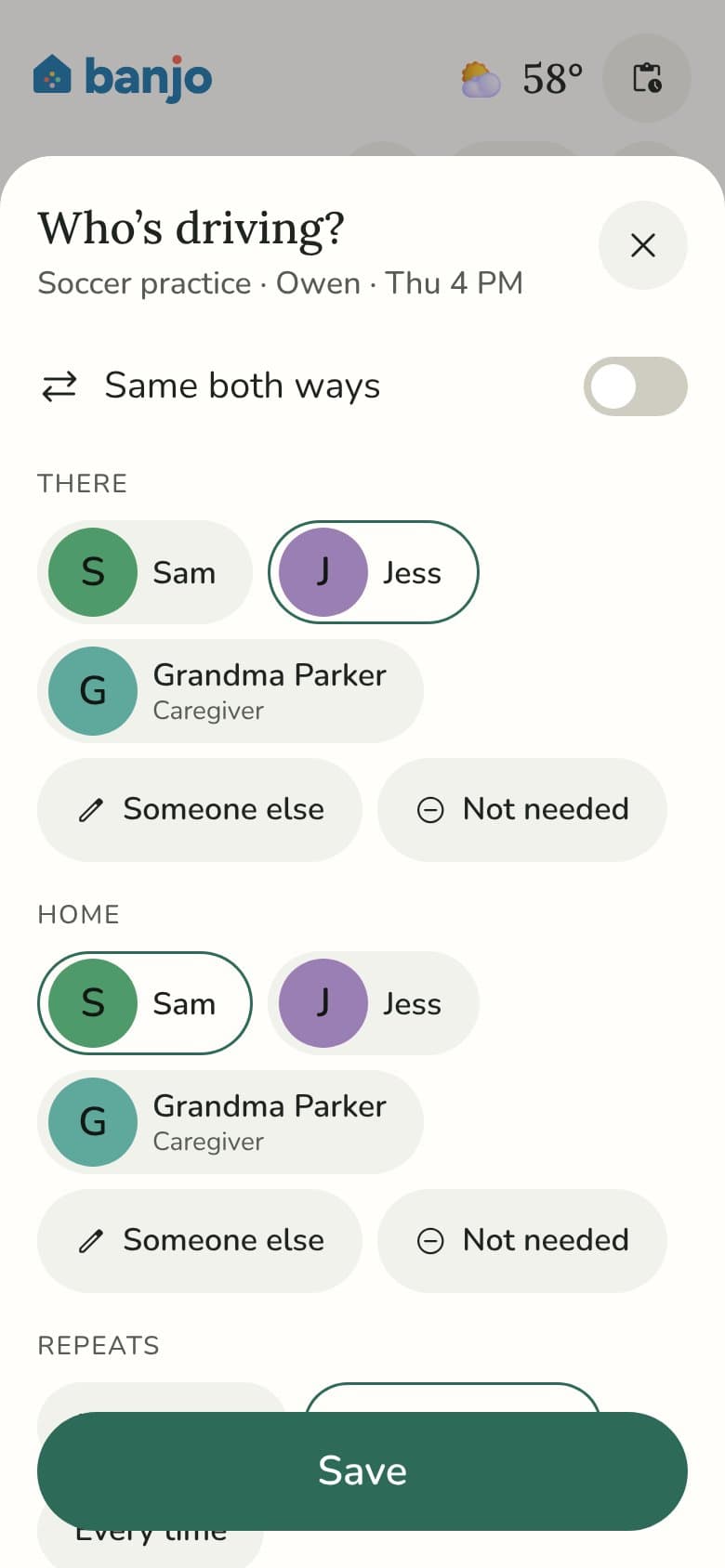
Who’s driving: choose a driver for each way of a practice

THIS WEEK

Open rides get a driver before the day.

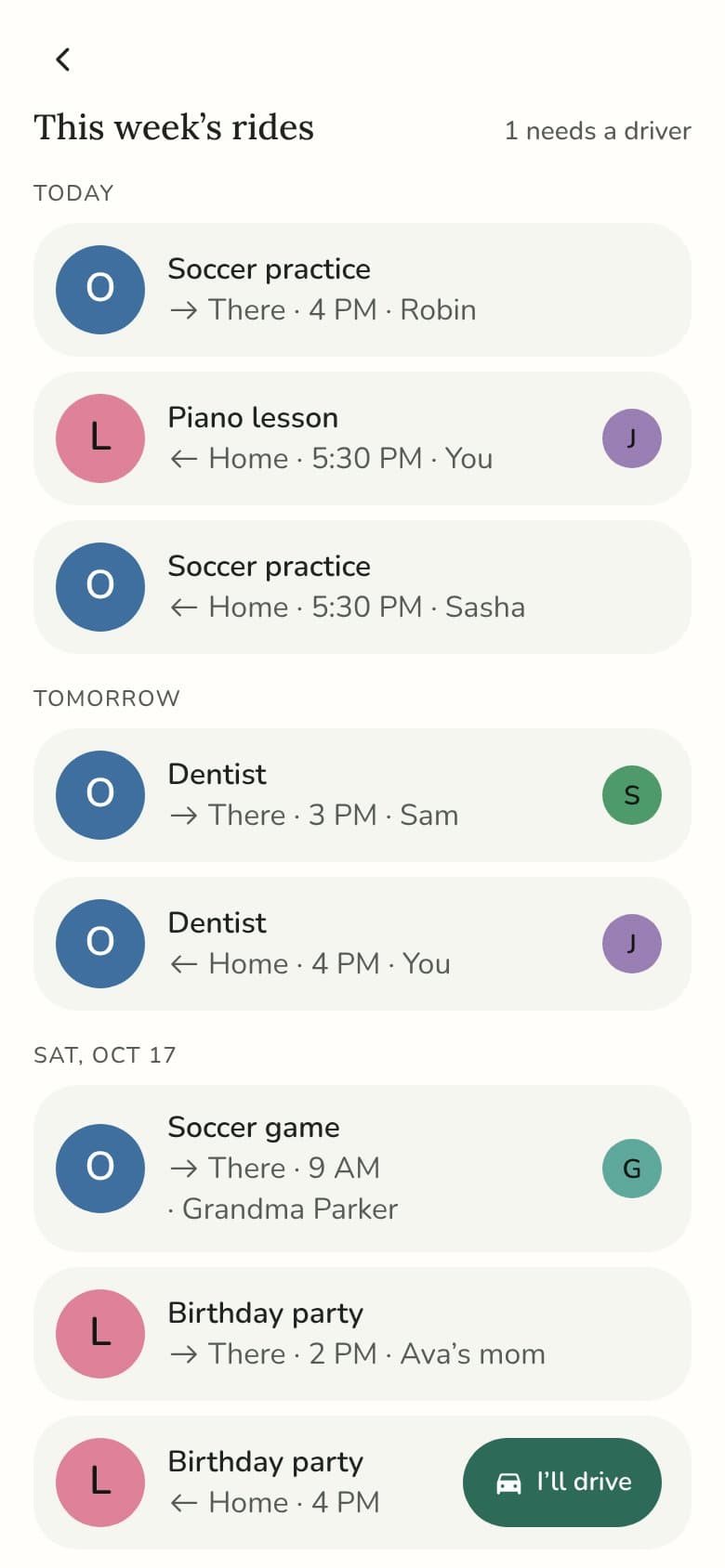
This week’s rides lists every ride with no driver in the next seven days, with I’ll drive on each. The other parent gets a quiet note when you claim one. Banjo alerts both parents the evening before.

This week’s rides, who drives there and home, and the one that still needs a driver

CARPOOLS

Start a carpool from the practice.

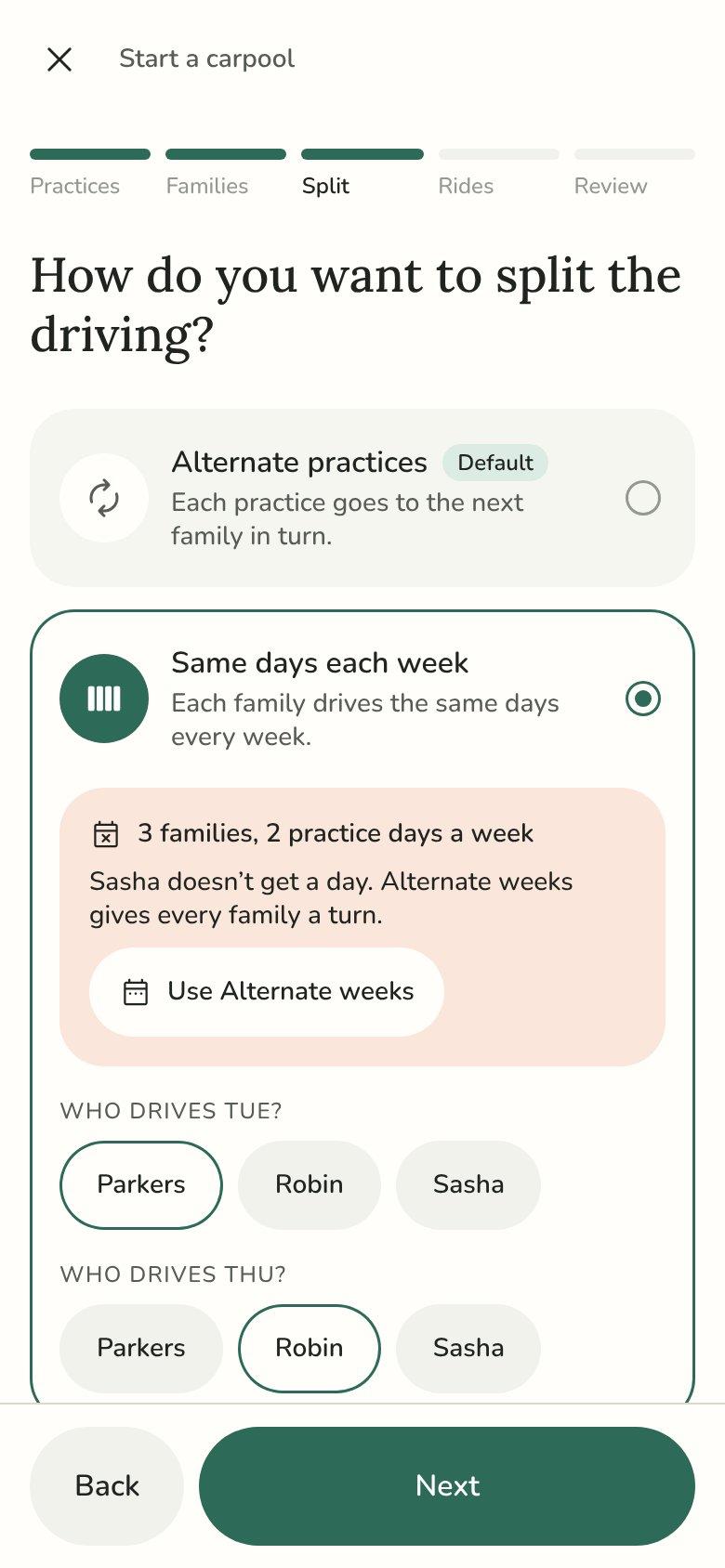
Add the other families, import the team schedule, and Banjo suggests how to split the turns and sends each family a calendar invite. A family that says Join gets turns. A family that says Not this time can be invited again.

Starting a carpool: how do you want to split the driving? Alternate practices (the default) or the same days each week

ONE-OFF RIDE

Ask for a ride with one link.

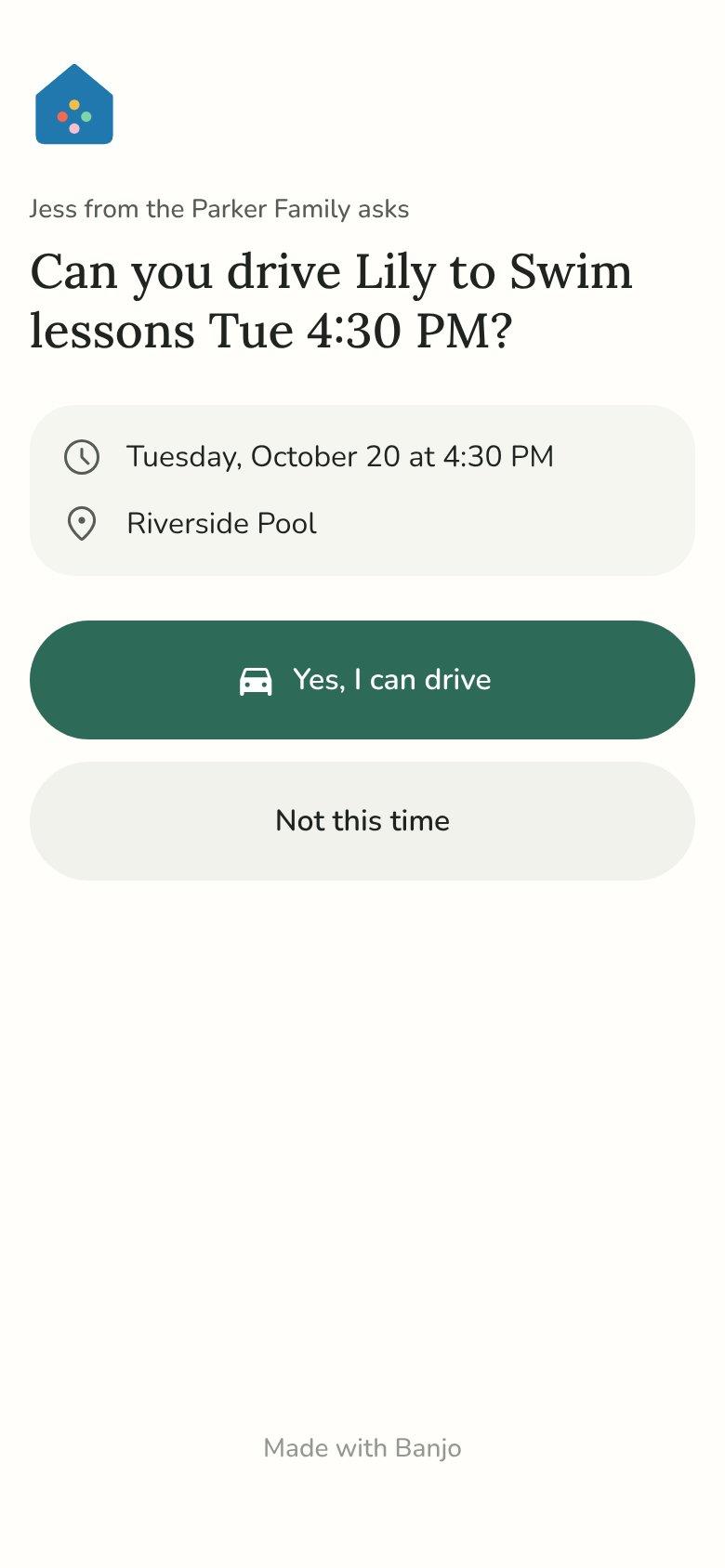
Ask another parent to drive for a single practice. They open the link, tap Yes or Not this time, and Yes puts the ride in their calendar. No sign-up, no app.

The page another parent opens: Can you drive? Yes, I can drive or Not this time

GIVE BACK MY TURN

Can’t drive? Swap first, then give it back.

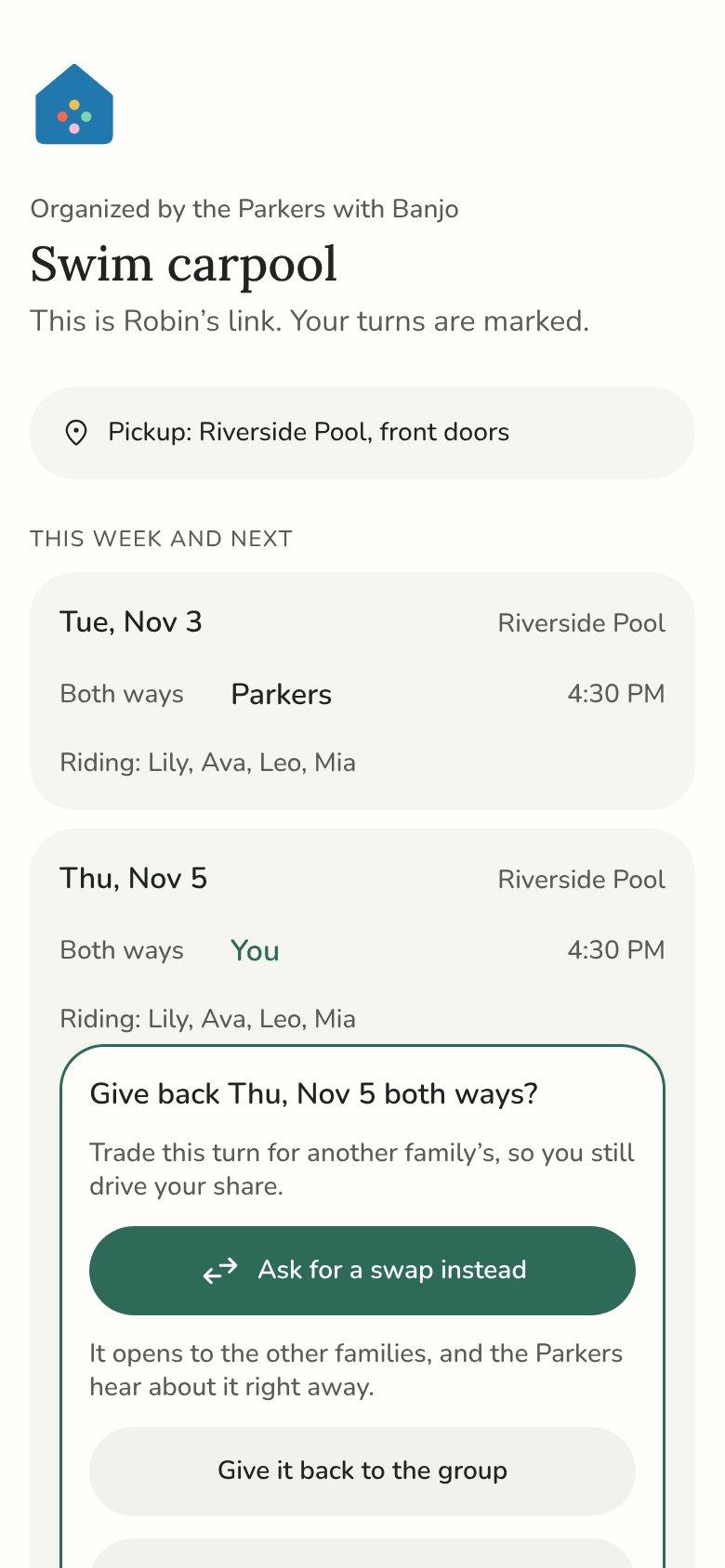
Tap Give back my turn and Banjo suggests a swap first, so you still drive your share. Or give it back to the group: it opens to the other families, and the first to tap I’ll drive covers it.

Giving back a carpool turn: Ask for a swap instead, or give it back to the group

Start with this week’s rides.

Add a driver to a practice, then share the carpool link.

Get Started Free

It takes a village. Give it a home.